
We have just released version 1.2.6 of the Haptics Connect app. This app connects your smartphone with interactive sex toys, letting you enjoy videos with synchronized toy interactions. It is available on the Google Play store and the Apple App store.
AI Assistant
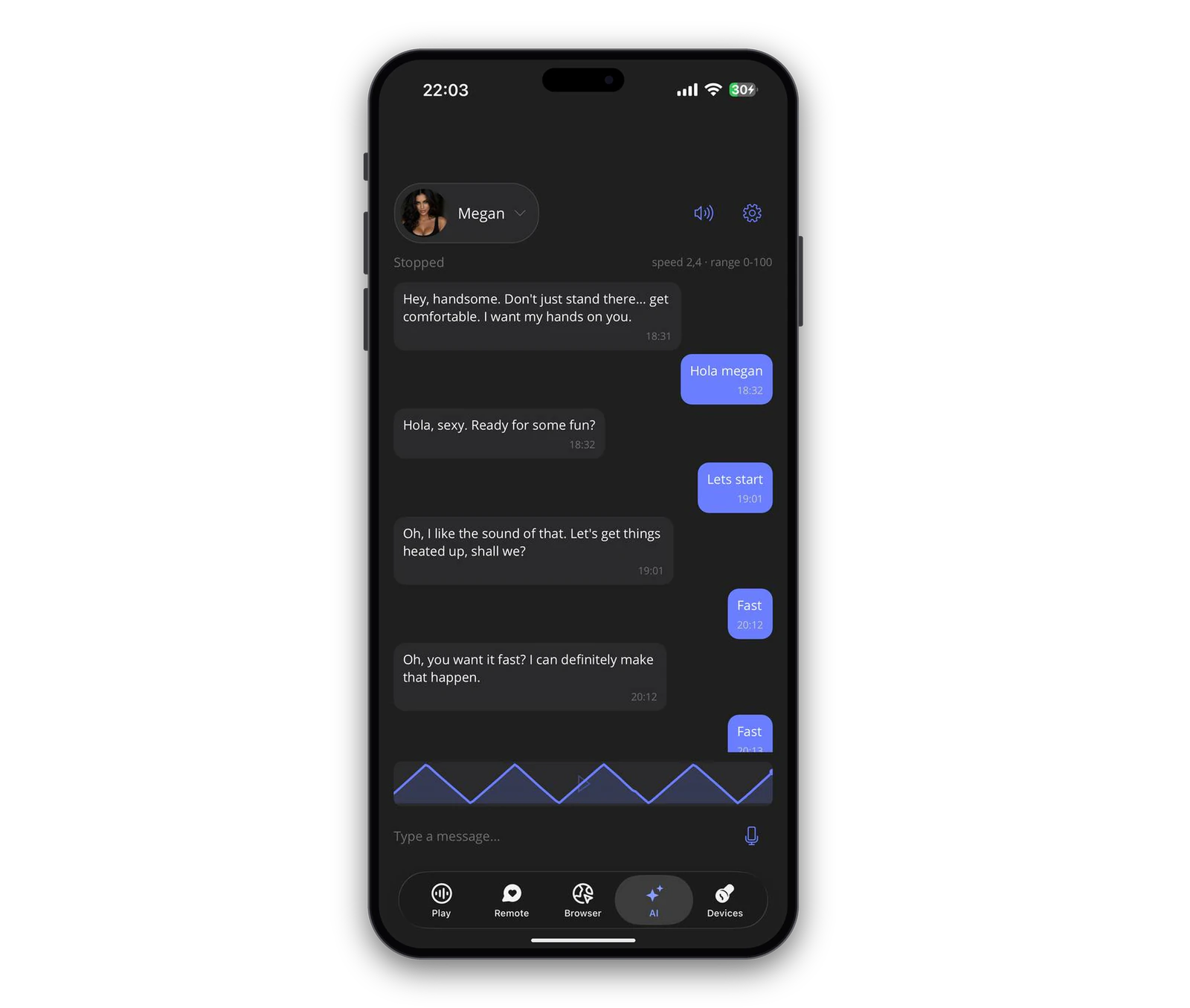
Control your interactive sex toy with an AI assistant using text or voice commands. Choose one of four assistants, each with a distinct personality and communication style, to find the experience that suits you best.
Connect your device through Haptics Connect and configure your preferred settings to get started.
To get started, you need:
- A compatible toy from the supported devices list.
- The latest version of Haptics Connect.
- A Grok or OpenAI API key.
Fixes & Improvements
- Added an option to invert device signals.
- Updated the device settings page.
- Added a link to ai.deovr.com in the in-app Browser.
Scripts
- Improved script uploading.
- Fixed an issue where script imports could get stuck when reopening the app.
- Fixed crashes when switching quickly between tabs.
Background Playback
- Fixed Android crashes related to background playback.
- Fixed missing or outdated player controls during background playback.
To find out more about interactive toys and how they work with the Haptics Connect app, check out our blog post here.