

Version 1.15 adds Timeline Tags for SLR scenes, lens correction and picture offset controls, plus direct Bluetooth haptic support on Apple Vision Pro. The next video loads faster, and a long list of bugs is fixed.
What’s new
- SLR Timeline Tags. Tags now appear on the video timeline, so you can jump straight to the moments you want.
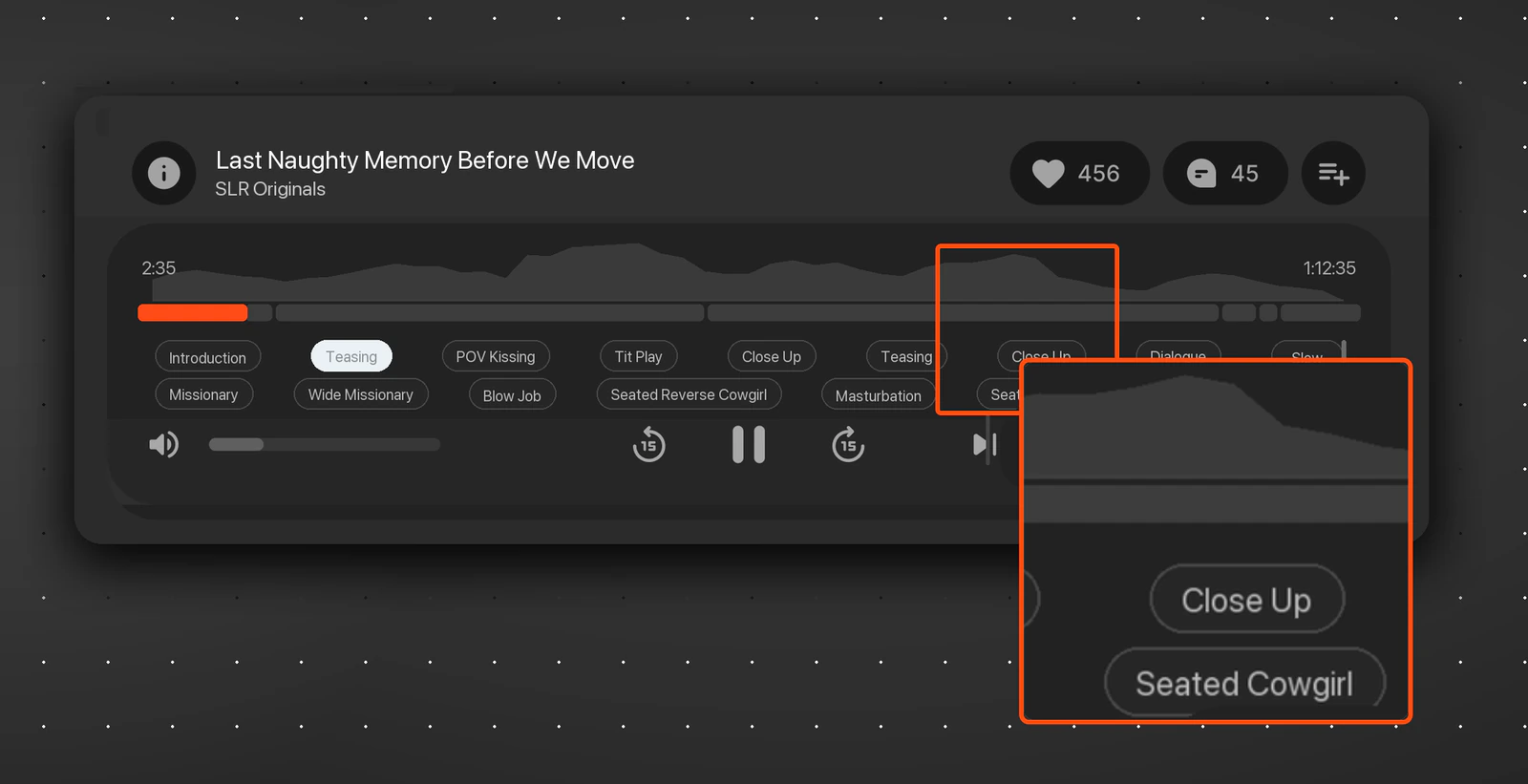
- Smoother playback. The next video loads faster, and your passthrough setting is remembered between videos.
- Lens correction. A new Lens correction tab in settings lets you match the image to your video. Fisheye videos can now be corrected for a cleaner picture.
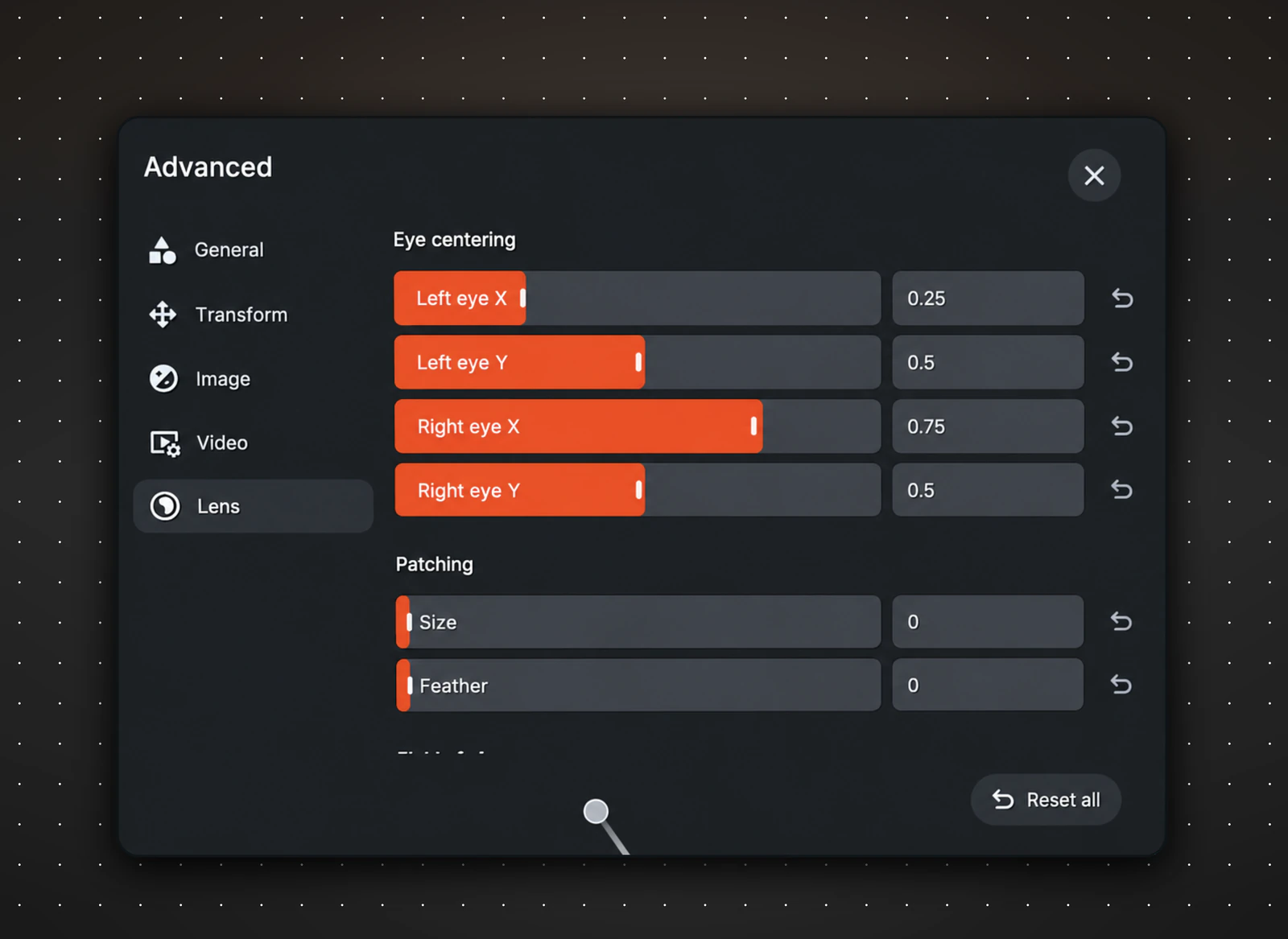
- Image positioning. Advanced Settings now has horizontal and vertical offset sliders for fine-tuning the picture.
Bluetooth Haptics Now Supported on Apple Vision Pro
You can now connect compatible Bluetooth haptic devices directly in the app on Apple Vision Pro, without switching to the classic app or relying on Haptics Connect.
Supported devices include DG-Lab Coyote 3.0, Kiiroo Keon, Kiiroo Onyx+ / PowerBlow, Kiiroo Pulse Solo Interactive, Lovense Nora / Max 1 / Max 2, Lovense Gush 1 / Gush 2, Lovense Edge 2 / Calor / Hush 1 / Hush 2, Lovense Solace Pro, Lovense Mission 2, Vorze PistonSA, Vorze A10 Cyclone, and OSR ESP32 / OSR2 TCode.
See the full list of supported devices here: Supported haptics devices.
Also improved
- A separate number keypad for typing digits.
- Report video/channel options moved to the info panel.
- Consistent mute icon colors in Watch Parties.
- More precise pointer input in player settings popups.
- On Quest, SLR card payments now open in the system browser.
Fixed
- AI passthrough losing sync after a quality change.
- Video disappearing when the AI passthrough type was changed while paused.
- Tags in the info panel opening the wrong page.
- Video quality resetting to Auto on the next video.
- No message shown when a VR Cams model is offline.
- The whole UI closing when clicking outside settings.
- Keyboard drifting in Watch Parties with 6DoF off.
- Next video in a playlist failing when the video is unavailable.
- Lens sliders jumping while editing.
- Sharpness slider changing brightness.
Apple Vision Pro
- Bluetooth haptic devices can now be connected directly in the app.
- The one-hand input setting is now applied.
- Fixed: AI passthrough mask showing the previous frame after seeking.
- Fixed: audio playing while the video was hidden during mask reload.
- Fixed: misaligned A-B Loop markers.
- Fixed: black background when opening the toys menu.
- Fixed: crash in the bookmark popup.