
We have redesigned the Build Your Own Journey (BYOJ) editor. Scenes, timeline, elements and settings now sit on one screen, so you no longer switch between tabs to build a scene. New to BYOJ? Start with Turn VR videos into interactive stories with BYOJ. Your existing projects and templates keep working as they are.
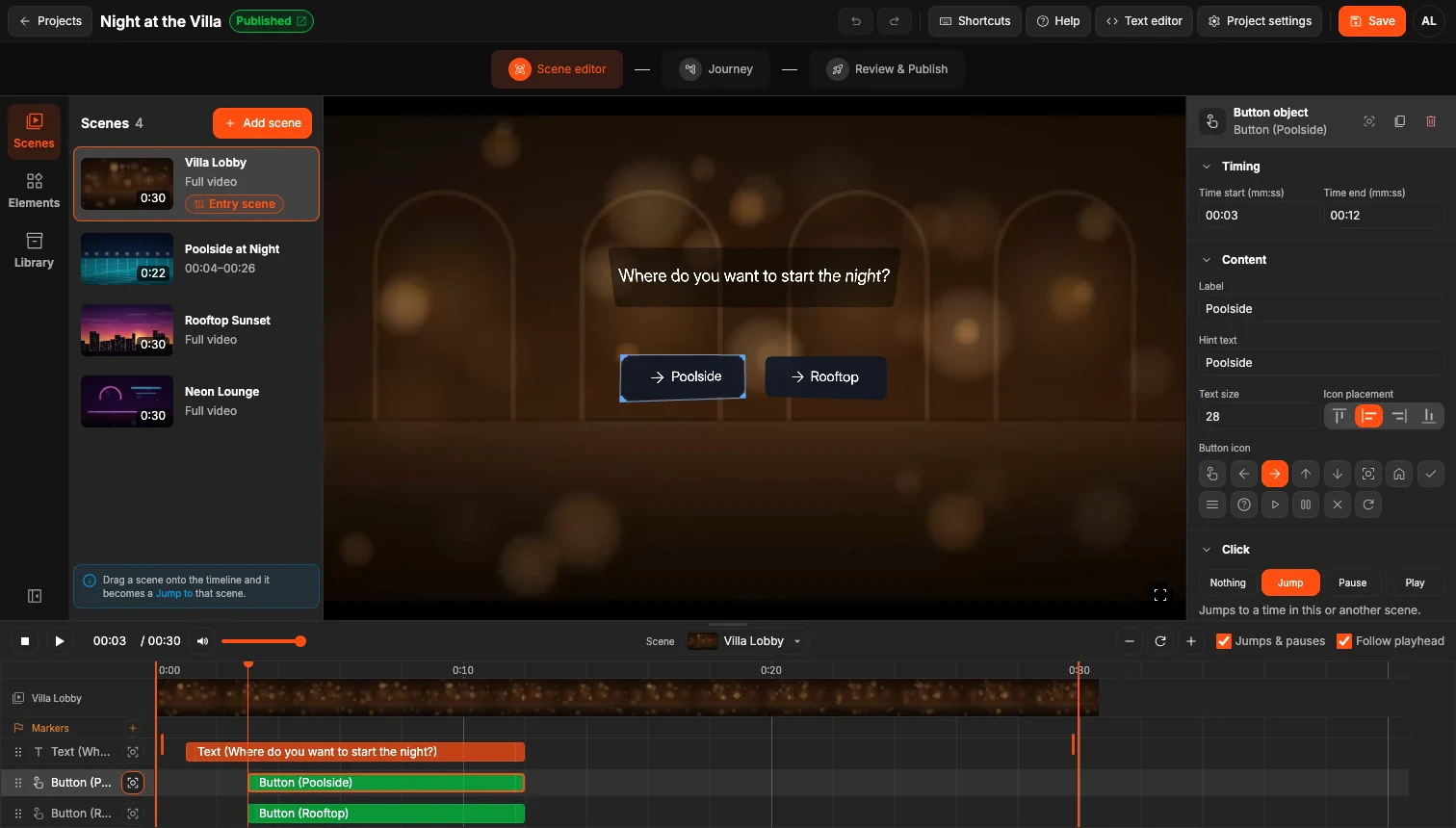
Scenes on the left, video in the middle, settings on the right, timeline below.
Everything in one place
The Sources tab is gone. Three panels on the left hold what you need: Scenes (add and manage your videos), Elements (Text, Button, Jump to and Pause) and Library (everything in your project, grouped by scene).
Trim with two keys
Press I where a scene should start and O where it should end. In a two-minute scene, I at 0:20 and O at 1:30 make it play from 0:20 to 1:30.
Connect scenes by dragging
Drag a scene from the Scenes panel onto the timeline. It becomes a Jump to that scene at the spot where you drop it.
Preview jumps and pauses
Jump to and Pause now play in the editor as viewers will see them, and Back to returns you to the moment you left. To work on timing, turn off Jumps & pauses under the player.
More improvements
- Buttons: choose a button's action (Jump, Pause or Play) in its Click settings. A separate Interaction is no longer needed.
- Laptops: on 13–14″ screens, the panels float over the video and can be pinned.
- Save: one Save button in the header replaces Publish / Update.
- Onboarding: a new project opens with a four-step guide.
Open the BYOJ editor and try it. If something feels off or is missing, tell us on the SLR Forum.
See the full changelog of the editor update.